Runs the work. Minds the money. Answers like a CFO.
Worklyn keeps clients, projects, contracts, invoices, expenses, banking and reconciliation in one place, so you can manage the work, keep the records ready and see what needs your attention.
No credit card required · Read-only bank connections
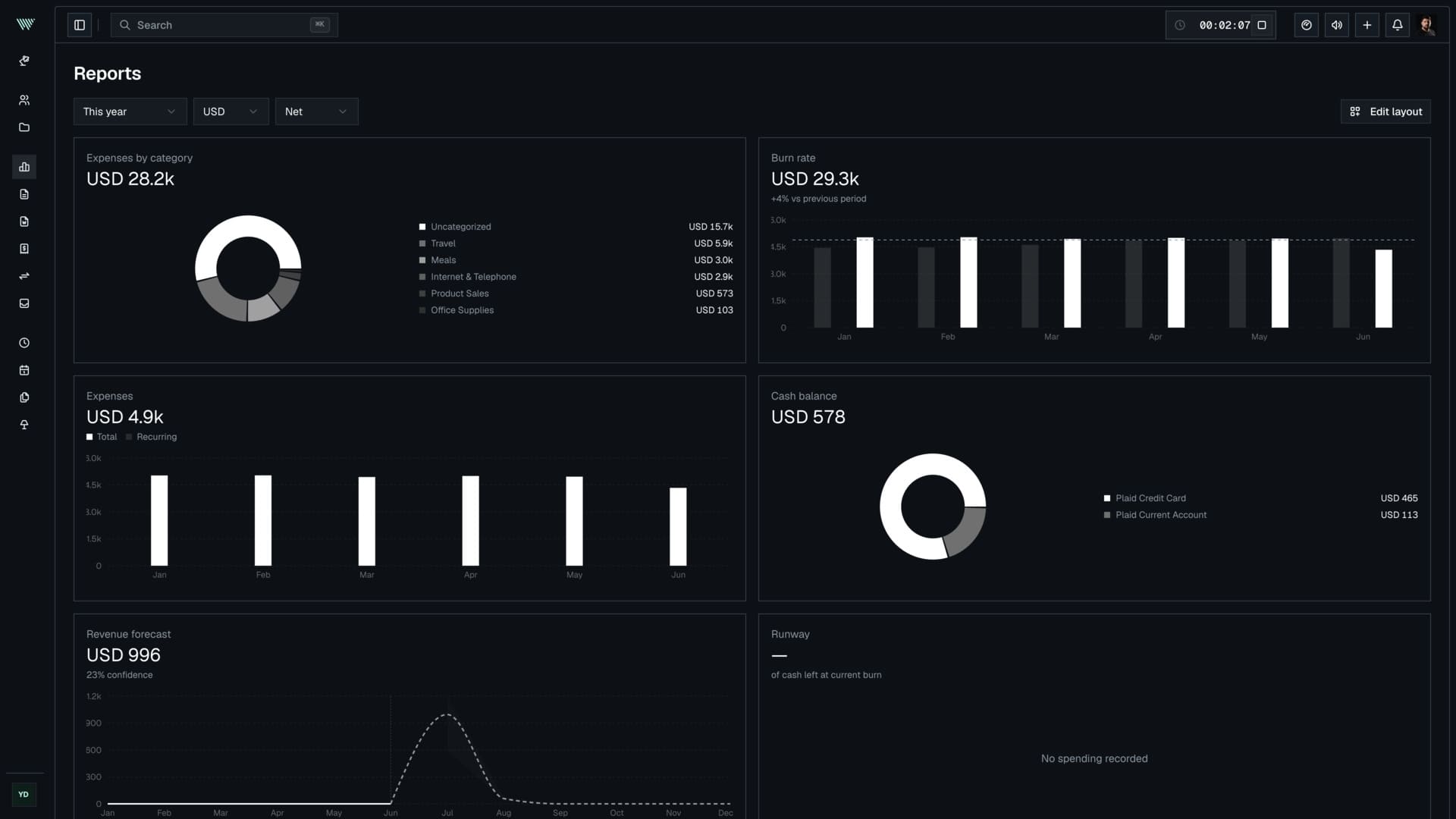
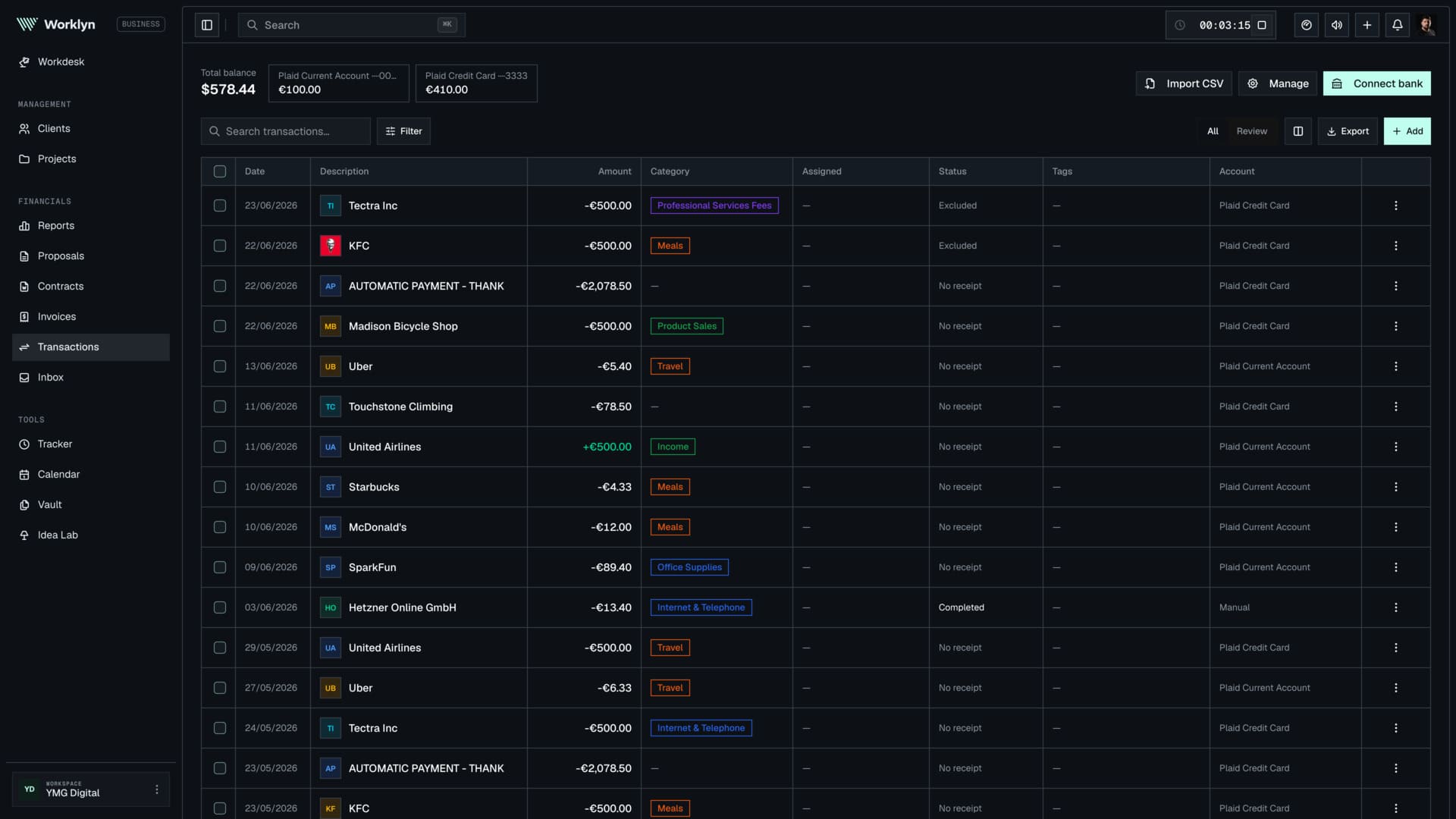

Your tools each know a piece. Worklyn knows how they connect.
A proposal becomes a project. The project creates hours, costs and invoices. Payments reach the bank and transactions are reconciled against the records behind them.
Worklyn keeps the whole process connected, so you do not have to enter the same information twice or clean everything up again at the end of the month.
Keep clients, proposals, contracts, projects, tasks and time connected from the first conversation to delivery.
Send invoices, collect payments, track expenses, connect banking and reconcile transactions as they happen.
Match receipts, review categories, find missing records and prepare organized exports for your accountant.
Everything you need to run the business.
Work, money and records stay in the same system.
Contacts, pipeline and client history
ProjectsBoards, phases, budgets and margin
Time trackingBillable hours that feed invoices and margin
ProposalsFrom first scope to an accepted quote
ContractsTemplates, e-sign and contract review
Invoicing & paymentsFrom completed work to money in the bank
Transactions & reconciliationCategorize money movement, match records and keep the ledger reviewed
Inbox & receipt matchingCollect receipts and financial documents, then match them to the transactions they belong to
Pre-accountingKeep financial records complete, reviewed and ready for your accountant
CFO ModeAsk questions and spot what needs attention
Built for people running the business themselves.
Independent professionals
Run every client engagement from proposal to payment. Protect your margin, keep your records in order and spend more time on the work clients pay you for.
Solo founders
Keep customers, revenue, expenses and company finances together. See cash flow and runway without rebuilding a finance spreadsheet every week.
Founding teams
Give cofounders and collaborators a shared view of the business while keeping sensitive financial information visible only to the right people.
AI with the context to be useful.
Worklyn already knows the client, the project, the invoice, the transaction and the deadline. CFO Mode uses that context to explain what changed, point out what needs attention and prepare the next step.
Ready for accounting, without the month-end cleanup.
Invoices, receipts, expenses and bank transactions stay organized as the business runs. Review what is missing, reconcile the records and export them when your accountant needs them.
Worklyn does not replace your accountant. It gets the records ready before they reach one.
Learn about pre-accountingBring the business you already have.
Import clients, invoices and transactions from Midday, Fiverr Workspace, Bonsai, HoneyBook, Dubsado, Upwork or your existing spreadsheets.
Coming from something that shut down? Your backup still works here.
Everything you relied on in Midday, plus the client and project workflow that comes before the invoice.
Migration guideClosed in March. Your backup zip still opens here.
Migration guideClient CSVs map themselves, with a preset for each format.
Generic CSV mapping, plus AI that reads client lists straight out of PDFs.
Costs less than an hour of your rate.
Launch pricing while we grow. Whatever you sign up at is what you keep paying. Every new workspace starts with 30 days of Pro, free, no card.
Free forever for clients, projects, proposals, contracts and invoices.
Start free- Unlimited clients & projects
- Unlimited proposals & contracts
- Unlimited invoices
- Time tracking, billable by default
- 1 GB file storage
- CFO Mode: Rate Check only
- 1.5% fee on payments
- 1 workspace guest
Adds the bank, the receipts, the reports and CFO Mode.
Try Pro free for 30 days- Everything in Free, plus:
- Receipt matching
- Reconciliation
- CFO Mode
- Client portal
- 5 AI connectors
- MCP access
- 3 connected bank accounts
- 20 GB file storage
- 0.5% fee on payments
- 2 workspace guests
Adds your team, financials locked to roles, and payment fees drop to zero.
Get Business- Everything in Pro, plus:
- Up to 10 team members with roles
- 4 workspace guests
- Financials locked to the right roles
- No fee on payments
- 15 AI connectors
- MCP access
- 10 connected bank accounts
- 100 GB file storage
- Priority support
Process more than €4,000/month by card? Business is free money.
Pro keeps a 0.5% fee on payments you collect. Business keeps none, and costs €20 more. Past €4,000 a month, the upgrade pays for itself.
At €6,000/month: Pro fee €30, Business fee €0. Business nets you €10/month.
Cancel anytime. Your data is always yours to export.
Questions worth asking.
Straight answers about work, money, reconciliation and pre-accounting.
Worklyn is a business, finance and pre-accounting workspace for independent professionals, solo founders and founding teams. It keeps clients, proposals, contracts, projects, time, invoices, expenses, banking and reconciliation in one system, so the work, the money and the records stay connected.
Worklyn is built for people who run both the work and the business themselves. That includes freelancers, consultants, independent accountants, developers, designers, solo founders and small founding teams.
No. Worklyn is a pre-accounting workspace. It helps you send invoices, collect receipts, categorize expenses, reconcile bank transactions and review missing records before they reach your accountant or accounting software. Worklyn does not replace your accountant. It helps you give them organized, reconciled records.
Pre-accounting is the work that happens before your records reach an accountant. In Worklyn, that includes collecting invoices and receipts, categorizing transactions, matching payments, reconciling bank activity, finding missing documents and preparing records for export.
Worklyn matches bank transactions with invoices, payments, expenses and receipts. It can suggest likely matches automatically, while keeping unmatched transactions and missing documents visible for review. You can review and change matches whenever needed.
CFO Mode is Worklyn's finance-focused AI mode. It uses the clients, projects, invoices, expenses and transactions already in your workspace to answer questions, explain changes and point out records that need attention. It can also prepare actions such as invoice drafts and payment reminders for your review, while Worklyn separately suggests transaction categories and reconciliation matches.
No. You can use clients, proposals, contracts, projects, time tracking, invoicing and expenses without connecting a bank. A bank connection adds automatic transaction imports, payment matching, reconciliation, cash flow reporting and more complete financial insights. Access is always read-only, so Worklyn can never move money.
Yes. You can share reports, export organized records and send reconciled data to supported accounting tools such as Xero and QuickBooks. You can also invite your accountant to your workspace with controlled, role-based access.
Yes. Worklyn includes the core workflows Midday users relied on, including banking, transactions, reconciliation, invoicing, receipts, time tracking, clients, files and accountant exports. It also adds proposals, contracts, deeper project management, project profitability and client portals. Midday data can be imported directly into Worklyn.
Worklyn has a Free plan, a Pro plan at 19.99 euros a month and a Business plan at 39.99 euros a month, priced per workspace rather than per seat. Free covers clients, projects, proposals, contracts, invoices and time tracking. Every new workspace starts with a 30 day Pro trial that adds banking, receipt matching, reports and full CFO Mode, no card required. Business adds team roles and controlled financial access.
Get your evenings back.
Run the work, keep the money organized and finish the day without a pile of admin waiting for you.